Enterprise automation can reduce repetitive work, improve operational consistency, and speed up decision-making. Without proper planning, it can also increase costs and operational complexity.
Gartner predicts that over 40% of agentic AI projects will be canceled by 2027 due to rising costs, unclear business value, or inadequate risk controls. This reinforces the need for careful automation planning.
A clear enterprise automation strategy helps businesses move from identifying the right processes to selecting technologies, building a business case, establishing governance, handling exceptions, and measuring results before scaling.
What Is an Enterprise Automation Strategy?
An enterprise automation strategy is a business-aligned framework for identifying and prioritizing automation opportunities, selecting suitable technologies, establishing governance, and measuring business outcomes across an organization.
It connects automation investments with business objectives such as reducing operating costs, improving customer experience, increasing productivity, and strengthening compliance.
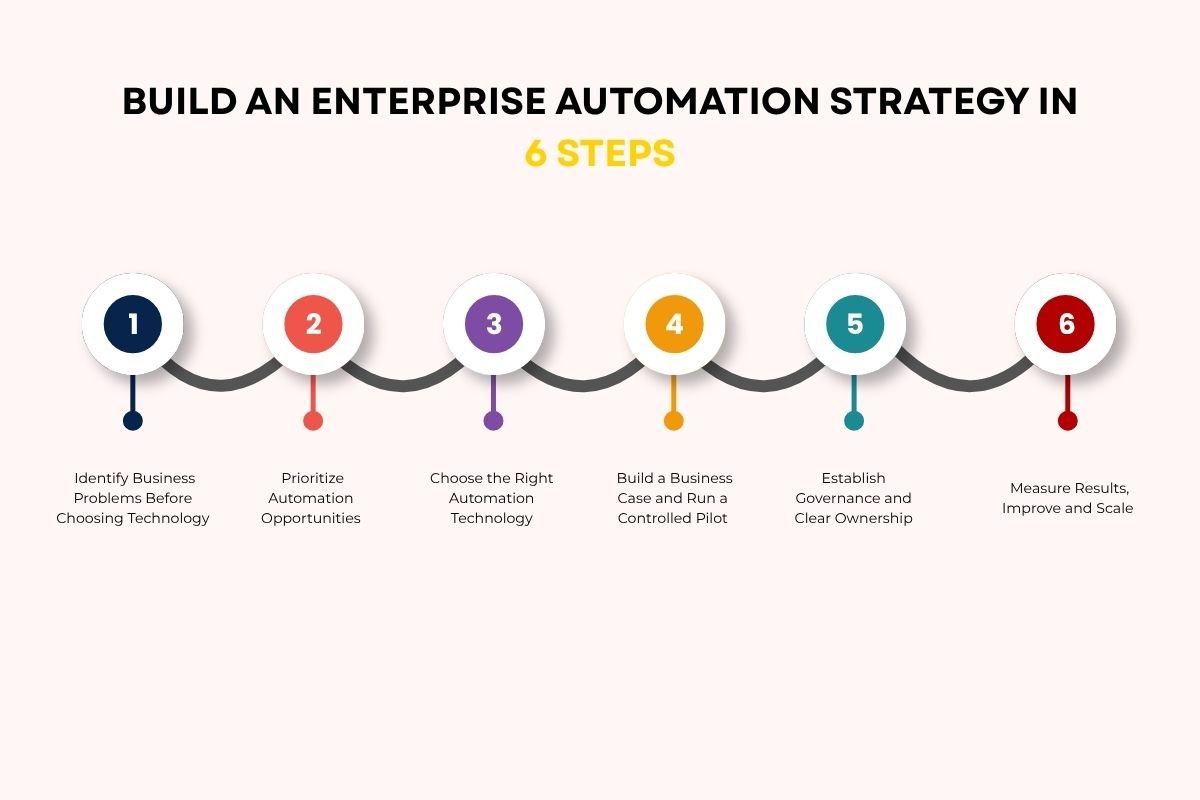
How to Build an Enterprise Automation Strategy in 6 Steps
1. Identify Business Problems Before Choosing Technology
Begin by identifying operational bottlenecks rather than looking for tasks to automate simply because automation is possible.
Review processes such as invoice processing, customer support, employee onboarding, reporting, and document management.
Talk to employees who perform these tasks and examine:
- How frequently the process occurs
- How much time employees spend on it
- Where delays, errors, and rework happen
- Which systems and departments are involved
- What customers or employees experience as a result
Before selecting an automation solution, confirm whether the underlying problem comes from unnecessary steps, inconsistent rules, system limitations, or capacity constraints. Address process design issues before introducing new technology.
2. Prioritize Automation Opportunities
Not every process deserves immediate investment. Evaluate potential initiatives against business value, implementation feasibility, and operational risk.
Use this assessment framework:
| Evaluation factor | What to examine |
| Business value | Potential savings, capacity gains, or customer benefits |
| Process stability | Whether workflows and business rules are consistent |
| Data readiness | Availability, quality, and accessibility of required data |
| Technical feasibility | Integration effort, system compatibility, and complexity |
| Risk | Financial, security, compliance, and customer impact |
| Adoption | Employee readiness and workflow changes required |
(Teams can score business value, feasibility, process stability, data readiness, and adoption from 1 to 5.
Scoring guide: Use 1 for low readiness or value and 5 for high readiness or value. Define what each score means before evaluating opportunities, and treat the total as a screening aid rather than a final investment decision.)
Risk should also act as a separate approval gate. A high-value opportunity should not automatically proceed if you can’t control its risks.
This approach helps leaders compare initiatives using consistent criteria instead of selecting projects based on enthusiasm or vendor recommendations.
3. Choose the Right Automation Technology
The right technology depends on process requirements, system architecture, and the consequences of errors.
| Technology | Best suited for | Key consideration |
| Workflow automation | Rule-based approvals, routing and notifications | Requires clear process rules |
| APIs and integrations | Connecting systems and synchronizing data | Depends on system compatibility |
| Robotic Process Automation (RPA) | Repetitive interactions with existing interfaces | UI changes can disrupt workflows |
| AI-assisted automation | Document extraction, classification, and summarization | Outputs need appropriate validation |
| AI agents | Tasks involving multiple steps, context, and tool use | Require stronger permissions, monitoring, and approval controls |
Automation should strengthen employee capabilities rather than simply replace manual tasks. Alan Trefler, founder and CEO of Pegasystems, emphasizes this perspective:
“What you really want is candidly to be able to augment the power of your staff and the power of the enterprise.”
The takeaway for business leaders is to assess how each solution changes employees’ work, decision-making responsibilities, and need for training.
4. Build a Business Case and Run a Controlled Pilot

Before implementation, define what success looks like.
Estimate the total cost of ownership, including:
- Software licenses and usage fees
- Integration and development
- Data preparation and infrastructure
- Security reviews and compliance requirements
- Employee training and change management
- Monitoring, maintenance, and support
Next, establish a baseline using current processing time, error rates, transaction costs, and workload volumes.
Select a pilot with a defined scope, accountable owner, and measurable success criteria.
Define pilot success criteria before deployment, including target performance, acceptable exception levels, control requirements, and operating costs. Assign an owner to document results and review deviations from the baseline.
Test routine transactions, unusual cases, system failures, and recovery procedures before deciding whether the solution is ready for broader use.
5. Establish Governance and Clear Ownership
Automation needs accountability, especially when systems can access sensitive information or take actions independently.
Assign responsibilities across business operations, IT, security, compliance, and finance.
A governance framework should define:
- Who approves automation projects and changes
- Who owns the process and its business outcomes
- What information automated systems can access
- Which actions require human approval
- How activities, exceptions, and incidents are logged
- How vendors, models, and integrations are reviewed
For AI agents, apply least-privilege permissions, controlled credentials, spending limits, and safeguards against prompt injection.
High-impact activities, such as releasing payments, modifying access permissions, or making consequential decisions about people, may require human authorization and additional safeguards.
Governance should enable responsible implementation rather than become an afterthought.
6. Measure Results, Improve and Scale
Before expanding a pilot, confirm that its results meet the predefined business and control requirements and that the organization can support ongoing operations.
Use relevant KPIs:
| KPI | What it measures |
| Cycle time | Time required to complete a process |
| Cost per transaction | Operating cost of each completed transaction |
| Error rate | Frequency of incorrect outcomes |
| Exception rate | Cases requiring manual intervention |
| Throughput | Number of completed transactions |
| Adoption rate | Whether intended users are using the solution |
| Reliability | Whether automation completes tasks consistently |
| Incident rate | Frequency of security or operational incidents |
Calculate ROI using consistent financial assumptions:
ROI = (Financial Benefits − Total Costs) ÷ Total Costs × 100
Note: For this calculation, financial benefits may include verified cost reductions or monetized productivity gains. Avoid counting the same benefit twice. Separate realized savings from estimated capacity gains. Employee hours released do not automatically translate into cash savings unless the organization can demonstrate how that capacity creates financial value.
Real-World Example of an Enterprise Automation Strategy
A leading Fortune 500 food enterprise worked with Infosys BPM to address fragmented automation initiatives and revenue leakages in its order-to-cash process. The company established a centralized automation Centre of Excellence (CoE), rationalized software licenses, decommissioned more than 50 automations, and transitioned over 220 automation and order-to-cash processes. According to Infosys BPM, the initiative generated $2 million in savings during its first year and recovered $1.31 million in dispute claims over 10 months.
How to Handle Exceptions in Automation
Consider an invoice-processing workflow where an automated system extracts invoice details, validates records, and routes approvals.
The workflow should distinguish routine transactions from exceptions:
- Standard invoices: Process automatically when validation and authorization requirements are met.
- Missing information: Route invoices for correction rather than guessing.
- Duplicate or mismatched records: Flag discrepancies for review.
- High-risk transactions: Apply additional verification and authorization controls.
- System failures: Maintain logs, recovery procedures, and clear escalation paths.
Common Automation Mistakes to Avoid
- Ignoring process handoffs: Define clear responsibilities between departments.
- Leaving exceptions unresolved: Assign owners and escalation paths.
- Tracking tasks instead of outcomes: Measure business value, not automation volume.
- Overlooking dependencies: Monitor connected systems and integrations.
- Excessive permissions: Review automation access regularly.
Conclusion:
Before scaling automation, evaluate pilot results, identify gaps, and ensure your enterprise automation strategy delivers measurable business value while keeping costs, risks, and performance under control.
Long-term success depends on choosing solutions that deliver measurable value and remain reliable as business needs evolve.
FAQs
1. Should businesses build or buy automation software?
Businesses should buy when existing platforms meet their needs and build custom solutions when specialized capabilities justify the additional investment.
2. How can enterprises integrate automation with legacy systems?
An enterprise automation strategy can use APIs, middleware, or approved connectors to link legacy systems with modern applications while protecting data integrity.
3. How can businesses prepare employees for automation?
Businesses should communicate role changes, offer reskilling opportunities, and involve employees in workflow redesign to improve adoption.
4. How can companies avoid vendor lock-in in enterprise automation?
Companies can reduce vendor dependency through open standards, portable data, documented integrations, and clear contract exit provisions.